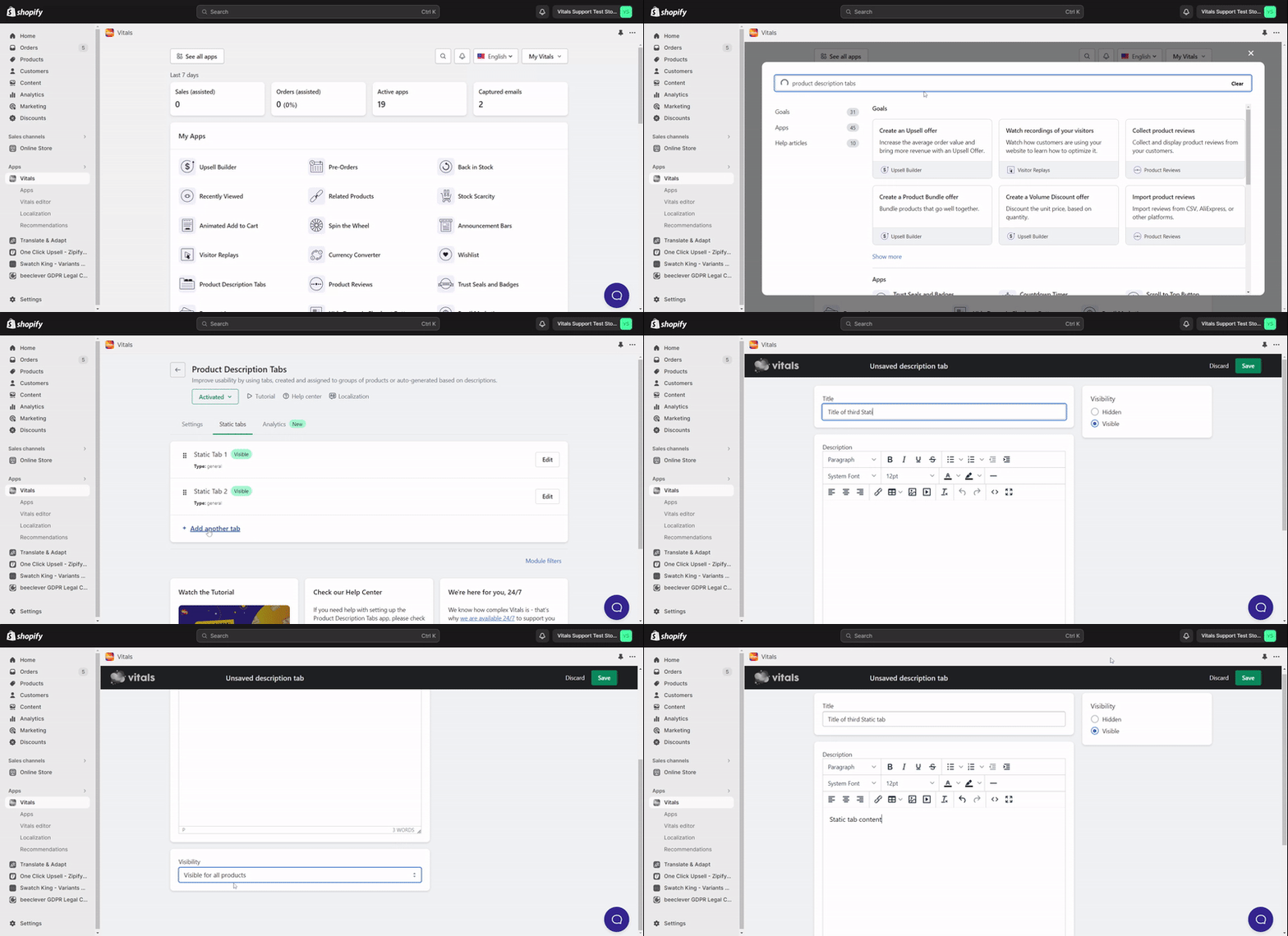
Creating Static Tabs
Last updated on October 22, 2026
We call them Static Tabs as they don't change based on the product description. Site-wide details such as Shipping or Returns or collection-specific information such as sizing charts (different for T-shirts, shoes, or coats) can be easily presented using a Static Tab. You can even create a static tab that can be applied to a few specific products without modifying their product descriptions.
To create one, open Product Description Tabs, go to the Static tabs tab and click Add another tab. Enter a Title and Description, then under Visibility choose Visible for all products, Visible on selected products pages or Visible on product pages from selected collections. You can upload pictures or even see the source HTML code to add a specific snippet.