Allow your visitors to modify their consent options
Last updated on October 22, 2026
To make sure we're all following the rules set by the General Data Protection Regulation (GDPR), data processors need to give their users the power to change how their data is being processed. This means that companies like yours need to give people the ability to change how their information is being used. So we've made it super simple for you to be compliant with our Cookie Banner app.
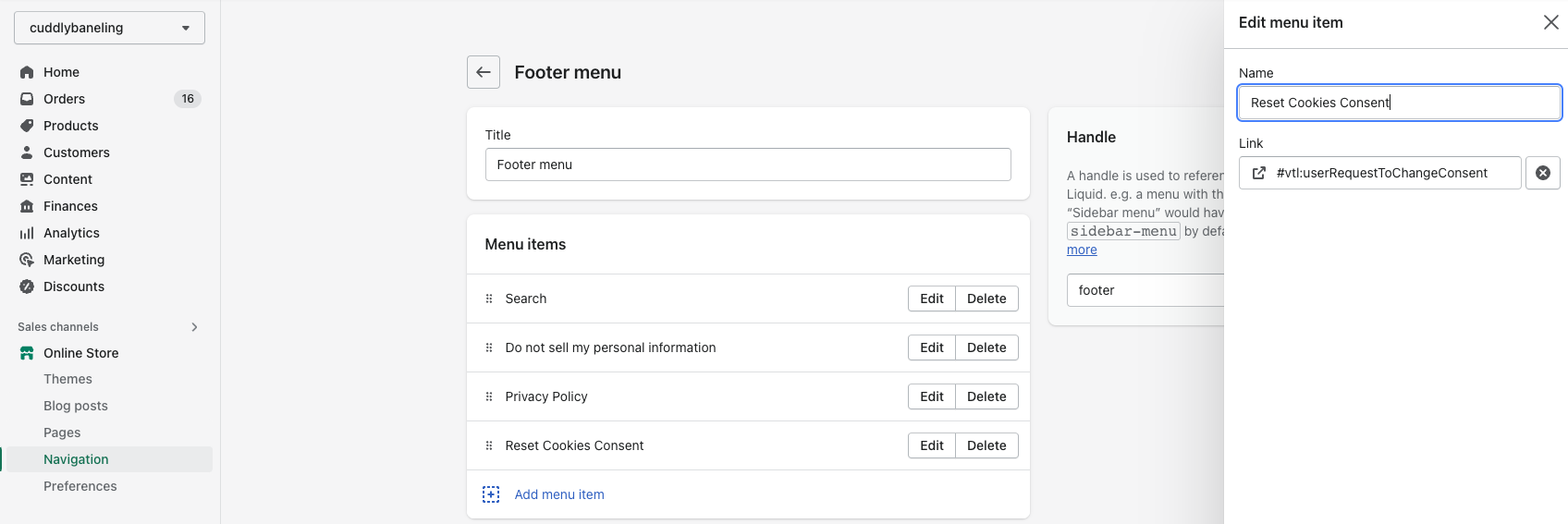
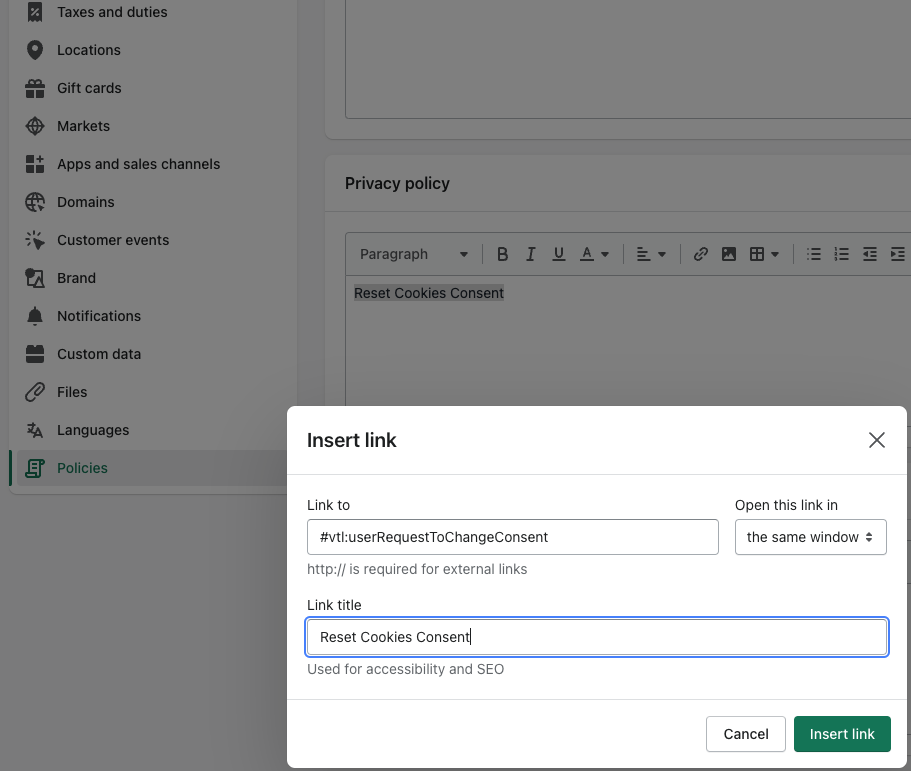
Add a link such as Change cookie settings to your privacy policy, cookie policy or footer menu, and use the snippet below as the link address. When a visitor clicks it, the cookie consent banner opens again so they can accept or decline. This works only while the Cookie Consent Banner status is Active in the Vitals Cookie Banner app (it is Inactive by default). And don't worry, Shopify has got your back with a step-by-step guide on adding a link to any page of your store.
#vtl:userRequestToChangeConsent
Example of how to add the link to the Privacy Policy page
Find it in Shopify Settings > Policies
Example of how to add the link to the Footer Menu
Find it in Content > Menus > Footer menu