Configure The Countdown Timer Smart Bar
Last updated on October 26, 2026
You can use this type of smart bar to set a limited offer utilizing a countdown timer. Set Countdown starts at and Countdown ends at, then write your Message. The bar shows only between these two times. Shoppers can pause the timer display with the pause button that appears when they hover over the bar. The offer still ends at the time you set.

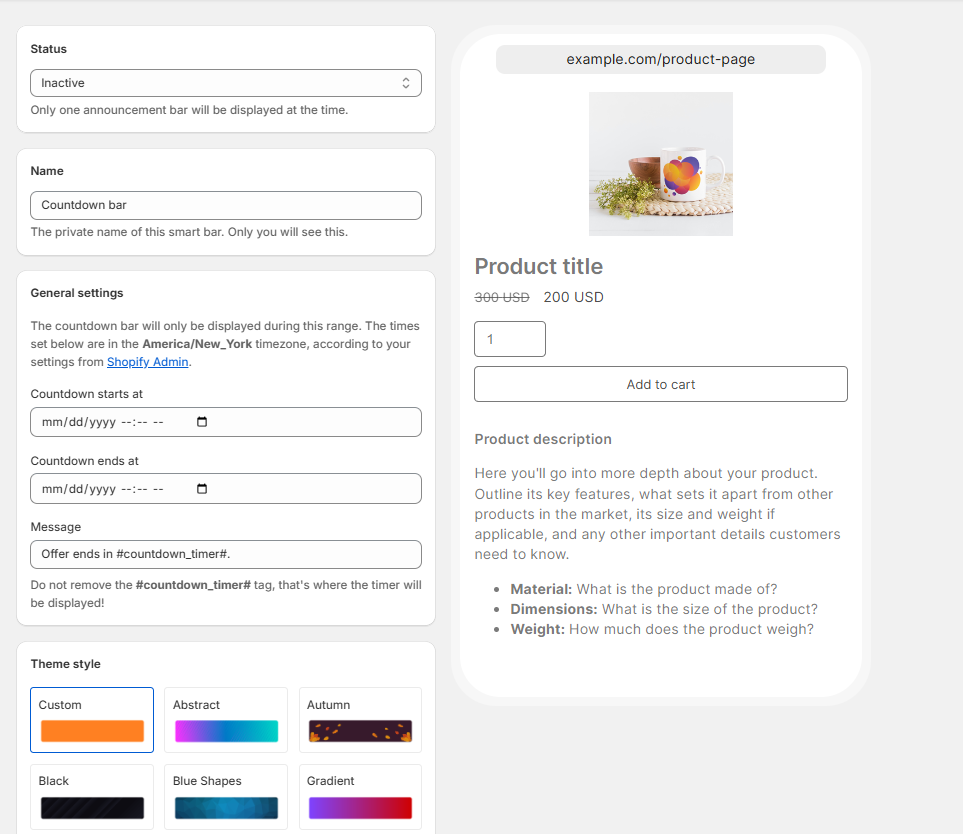
Take into account that the message should contain the #countdown_timer# tag to be displayed correctly. This is where the time left until Countdown ends at is displayed.