How to hide certain products or orders from the Recent Sales Notifications
Last updated on October 23, 2026
Hiding orders or products from showing in the Recent Sales Notifications app can be done in the Hide for some products and orders card on the app's settings page.
Add the product IDs to Hide certain products and the order IDs to Hide certain orders, separated with a comma.
These settings only control which products and orders appear in notifications. They do not hide the Recent Sales Notifications popup on a specific page.
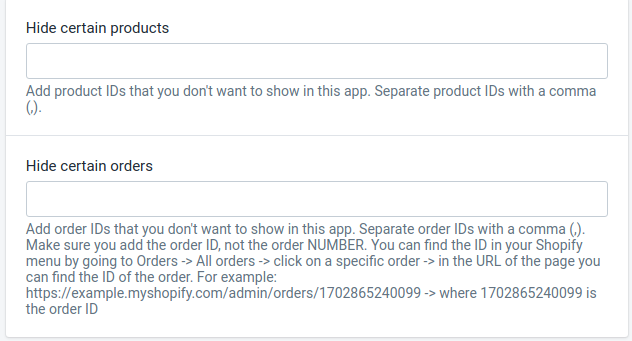
You can find the product ID in your Shopify admin by going to the Products section and then click on the specific product. You can get the product ID from the URL of the page. For example, if the URL ends in /products/611153575971, the product ID is 611153575971.
To find an order ID, go to Orders in your Shopify admin, open the order, and copy the number at the end of the page URL.