Agree to Terms checkbox on Shopify with Vitals: features, pricing and setup
Last updated on October 23, 2026

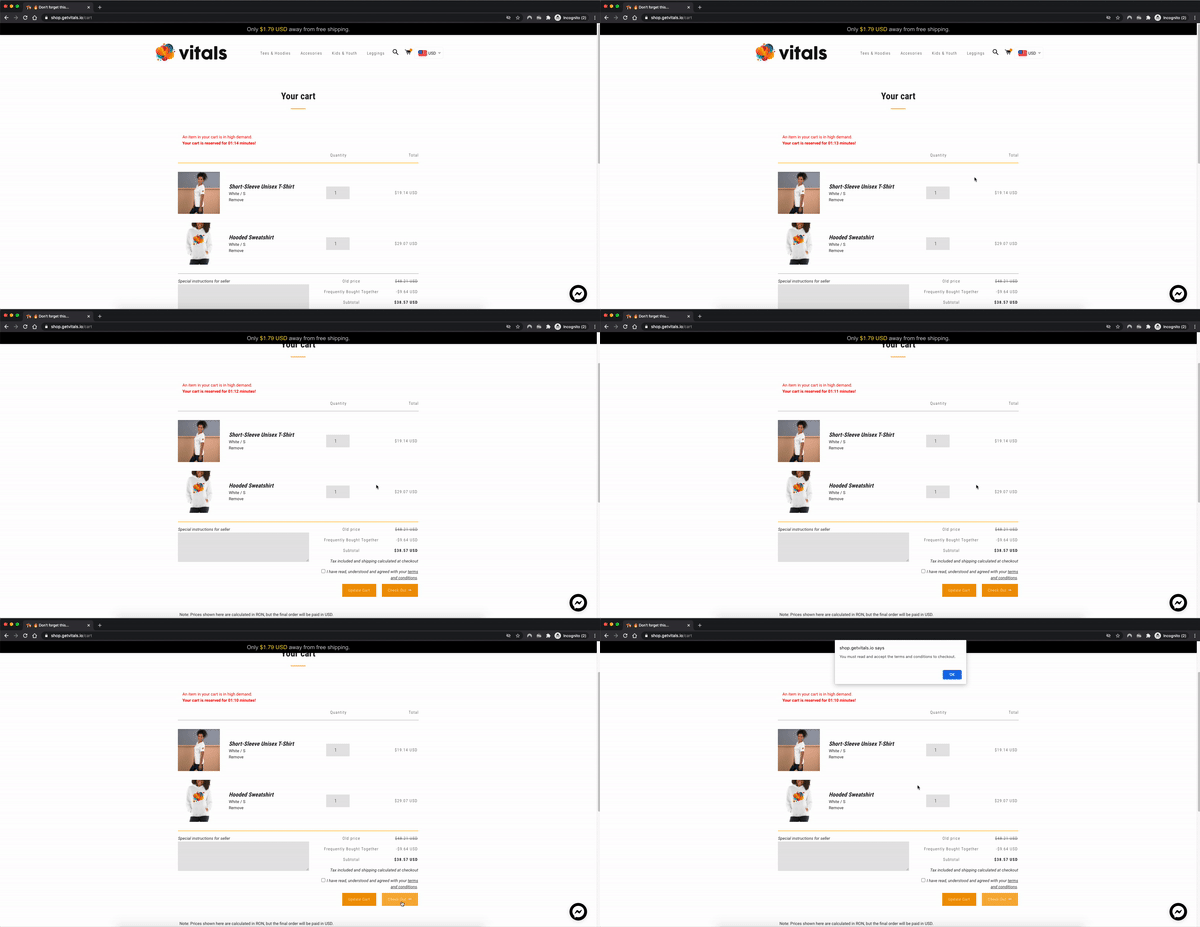
Yes, Vitals adds an agree to terms checkbox to Shopify. The Agree to Terms Checkbox app is part of Vitals: Reviews, Bundles & 40+ on the Shopify App Store. It puts a checkbox on your cart page, and in supported theme cart drawers, that blocks the checkout button until the shopper ticks it to accept your terms and conditions.
Agree to Terms Checkbox at a glance
| Question | Answer |
|---|---|
| What it does | Shows a checkbox just before the checkout button and blocks checkout until the shopper ticks it |
| Where it shows | The cart page, and above the checkout button in supported theme cart drawers |
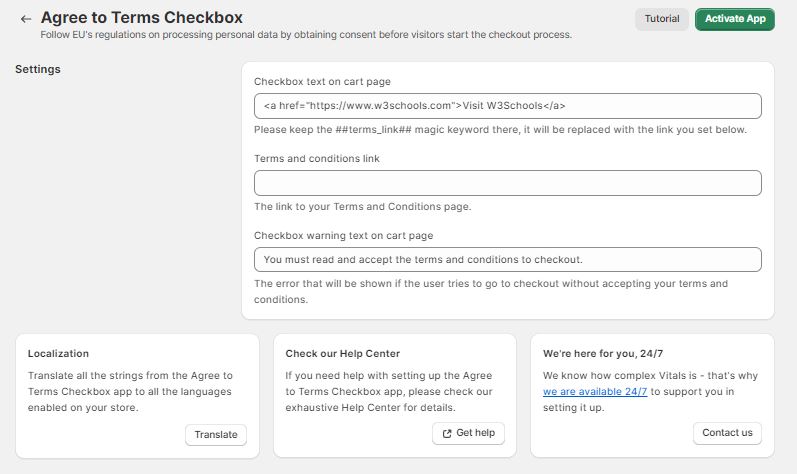
| What you set | On or off, the checkbox text, the link to your terms page and the error message shown when a shopper tries to check out without ticking |
| Pricing | Included in the Vitals All-in-One plan, $29.99/month, with a 7-day free trial. See the Shopify App Store listing for current pricing. |
When Agree to Terms Checkbox is not the right fit
- You need the checkbox inside Shopify Checkout. It sits on the cart page and in supported cart drawers, before checkout.
- You want it placed with a theme block. There is no theme block. Vitals adds it before the checkout button for you.
Frequently Asked Questions
Does Vitals have a terms and conditions checkbox for Shopify?
Yes. The Agree to Terms Checkbox app adds a checkbox on the cart page and in supported cart drawers that blocks checkout until the shopper accepts your terms.
How much does the Agree to Terms Checkbox cost?
It is included in the Vitals All-in-One plan at $29.99/month, with a 7-day free trial. Check the Shopify App Store listing for current pricing.
Can I change the text and the link?
Yes. You set the checkbox text, the link to your terms page and the error message shoppers see if they try to check out without ticking the box.
Can I show the checkbox only in certain countries or markets?
No. Agree to Terms Checkbox does not have country, market, or other display targeting. When the app is enabled, shoppers see it wherever it is supported.
Use it when you want shoppers to confirm they have read your terms and conditions before they check out. It is not a cookie or data-processing consent tool; for cookie consent, use the Cookie Banner app.
The Agree-to-Terms Checkbox app is a great way for your store to ensure customers that check out also read and understood your store's terms and conditions.
By enabling this app, it provides a quick option on your store's cart page, asking the customer to agree to your store's policies, before doing the checkout.
If you haven't yet added a Terms of Service page to your store, the easiest way to do it is by using Shopify's own Terms of Service Generator (this doesn't mean you shouldn't also consult a lawyer). The same goes for Shopify's Privacy Policy Generator.