
Recently Viewed products on Shopify with Vitals: features, pricing and setup
Last updated on November 17, 2026
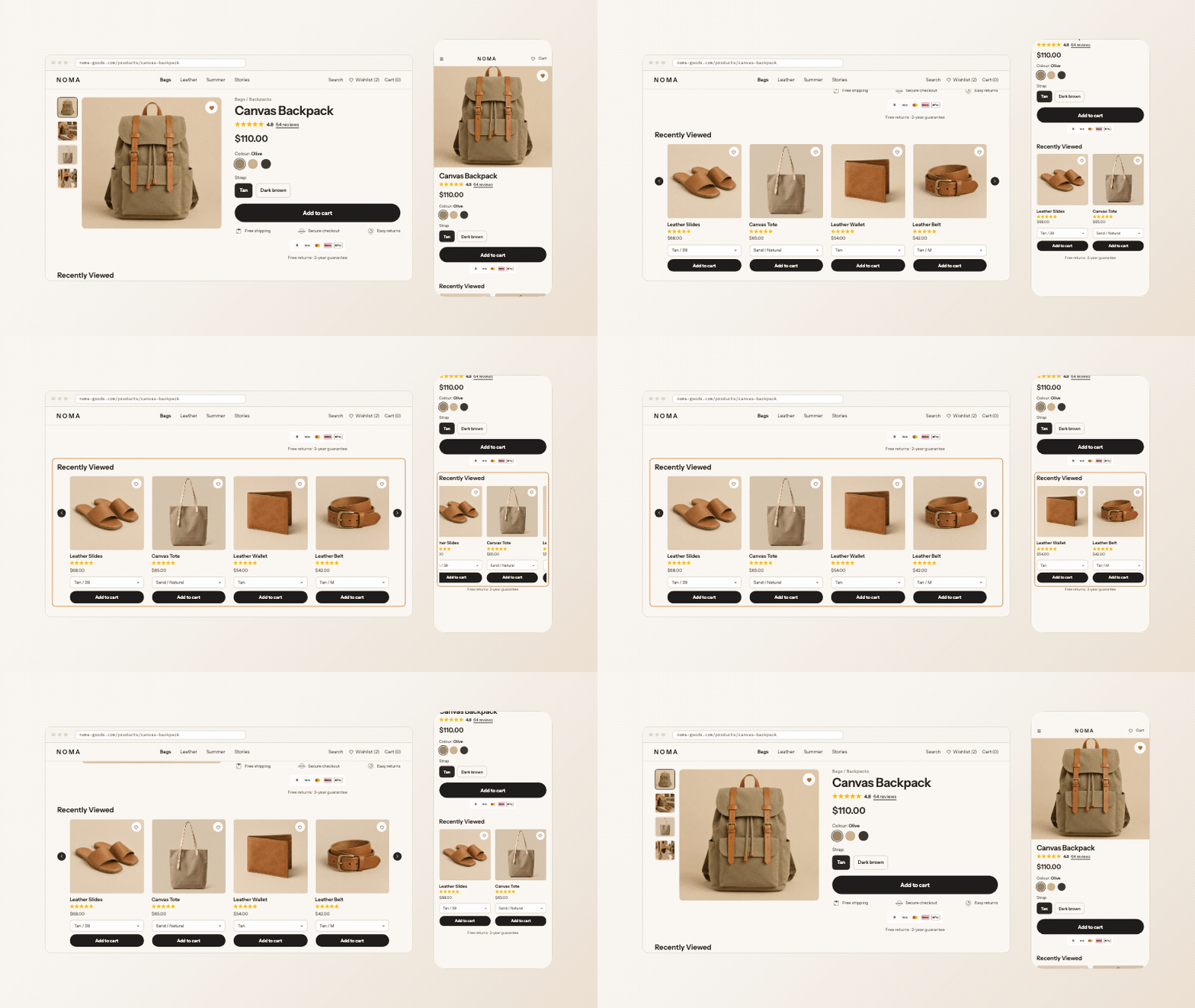
Yes, Vitals has a recently viewed products app for Shopify. The Vitals app (Vitals: Reviews, Bundles & 40+ on the Shopify App Store) includes Recently Viewed, which remembers the products each visitor looks at and shows them again in a carousel on product pages and in the cart. It comes in the same plan as product reviews, bundles and 40+ other apps.
👀 Vitals Recently Viewed at a glance
| Question | Answer |
|---|---|
| What it does | A carousel of the products the visitor viewed recently |
| Where it shows | Product pages and the cart page (turn each on or off under General settings). To show it on another page, such as your home page, add the Recently Viewed app block in the Shopify theme editor. Display Rules limit it to specific products. |
| Product cards | Card style (None, Color or Border) with corner radius and a second image on hover, the same card options as Related Products. Under Settings → Product card → Text size, set Product title size and Price size separately for Desktop and Mobile. Changing a text size switches the preview to the corresponding device. |
| Carousel layout | Under Settings → Carousel, set the maximum products per row, card gap and Max width for Desktop, and products per row and card gap for Mobile. Mobile defaults to 2.3 products per row and an Auto card gap. A fractional value shows part of the next product. These settings change the layout, not the total number of products. Under Carousel arrows, set Arrow position on desktop, turn on Show arrows on mobile and choose Arrow position on mobile, or customize Arrow color and Arrow background. Mobile arrows are off by default, and their position setting appears when they are enabled. On desktop, choosing a title-row position hides the title alignment setting; the title sits opposite the arrows. The background picker is unavailable for some arrow styles. Open Progress bar after Carousel arrows to enable Show progress bar on desktop or Show progress bar on mobile. Both are off by default. When either is enabled, you can also set the Progress bar color. Changing a device-specific carousel setting, such as products per row or the progress bar, switches the preview to that device. Shared settings such as colors, card style and margins do not switch the preview. |
| Integrations | Shows Vitals Product Reviews star ratings, Wishlist and Product Labels on the product cards (turn each on or off under Visibility) |
| Pricing | Included in your Vitals plan. See plans and pricing. On the older All-in-One plan, usage charges can apply: how they work. |
When Vitals Recently Viewed is not the right fit
- Showing history to shoppers who decline tracking. Where a cookie consent banner applies, Recently Viewed records and shows products only after the shopper accepts tracking.
One of the most efficient means to cross-sell is to display the products your visitors have recently viewed. Vitals makes it easy to display the recently viewed products. Once you enable the app, the app will start "collecting" the products your visitors are viewing and showing them on product pages as well as in the cart.
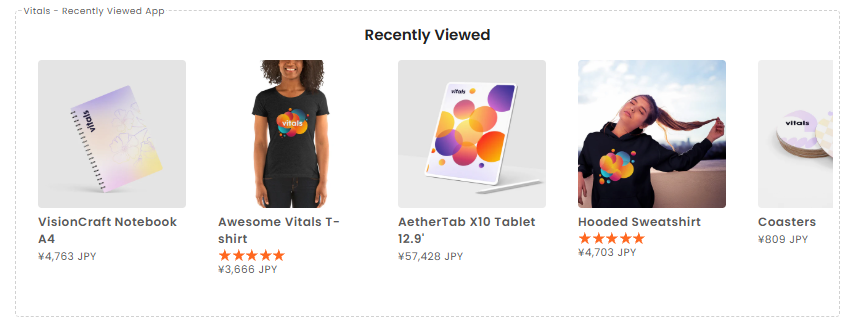
The app is, of course, integrated with other apps in Vitals, like the Product Reviews app (see the screenshot above).
💡 Looking to have this app appear only on specific product pages? You can use the Display Rules section of the app to specify the product pages where you would like this app to appear. For more information, you can refer here: Displaying apps only on specific products using Display Rules
Frequently Asked Questions (FAQs)
Does Vitals have a recently viewed products app for Shopify?
Yes. Recently Viewed shows each shopper the products they looked at, on product pages and in the cart.
How much does Vitals Recently Viewed cost?
It is included in your Vitals plan. See plans and pricing. On the older All-in-One plan, usage charges can apply: how they work.
Why do some shoppers not see Recently Viewed?
Where a cookie consent banner applies, the app waits until the shopper accepts tracking before it records and shows viewed products.
Still stuck?
Chat with our support team, we'll sort it out with you.