Accept New App Permissions
Last updated on October 22, 2026
To support new features and improve functionality, Vitals may require critical updates, including new app permissions.
Why Are New Permissions Needed?
New Vitals features sometimes need extra access to your store data in Shopify, for example to read your Shopify analytics reports or your full order history. Shopify asks you to approve this the next time you open Vitals.
💡 Note: To accept a permission request, sign in as the store owner, or as a staff member with permission to manage apps. If you are a staff member and don't see the permissions window, ask the store owner to open Vitals.
How to Accept App Permissions for Vitals
When Vitals requires new permissions, Shopify will prompt you to approve them upon opening the Vitals app. Until they are approved, Shopify shows this screen instead of the Vitals dashboard. Your settings and data are not affected, and everything works as before once you approve. Vitals doesn't send a separate email about it, so the screen only appears the next time someone opens the app.
Steps to Accept App Permissions
Open the Vitals app as the store owner (or a staff member who can manage apps). If there is a pending permission, a window similar to the one below will appear:
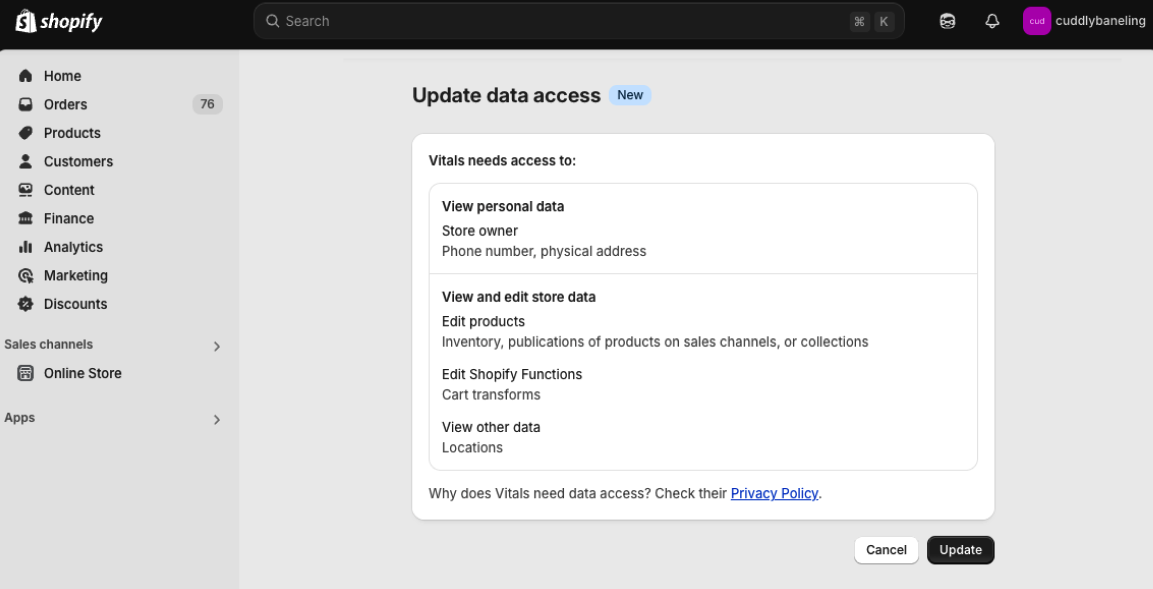
- Click Update.
Once approved, Vitals will have the permissions it needs and opens as usual.
How Do I know Who is the Store Owner?
To find the store owner's email, please navigate to the Users and permissions section:
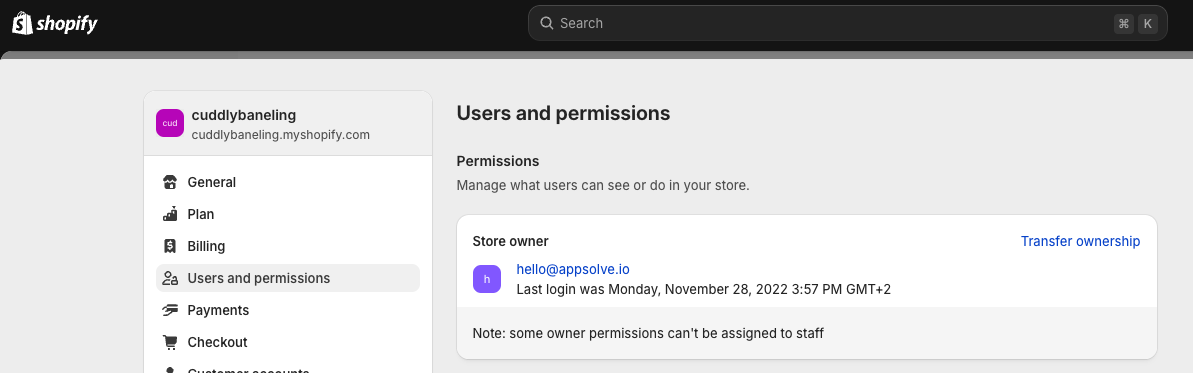
To avoid disruptions and ensure your store benefits from real-time updates, make sure to approve any permission requests from Vitals when prompted.
For any questions or troubleshooting, visit our Help Center or contact our support team.