
Searching for Specific Reviews Using Filters
Last updated on November 17, 2026
You can use the different filtering systems inside the Product Reviews app to effectively manage the reviews you want displayed on your store or reply to them with Write a reply.
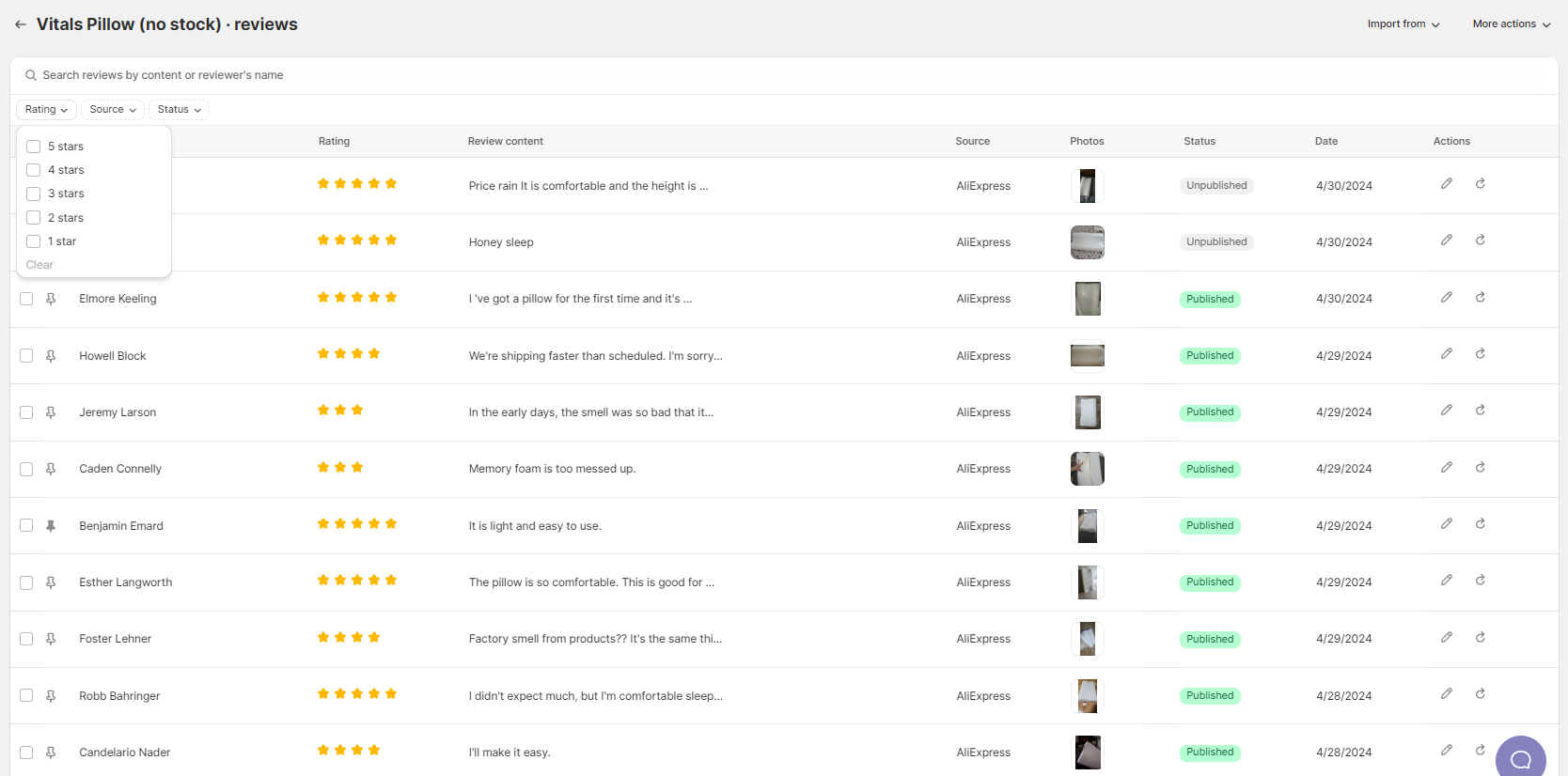
Type in the search box to find reviews by their text or the reviewer's name. You can also use the Rating, Source and Status filters:
- According to their rating value (1⭐ to 5⭐)
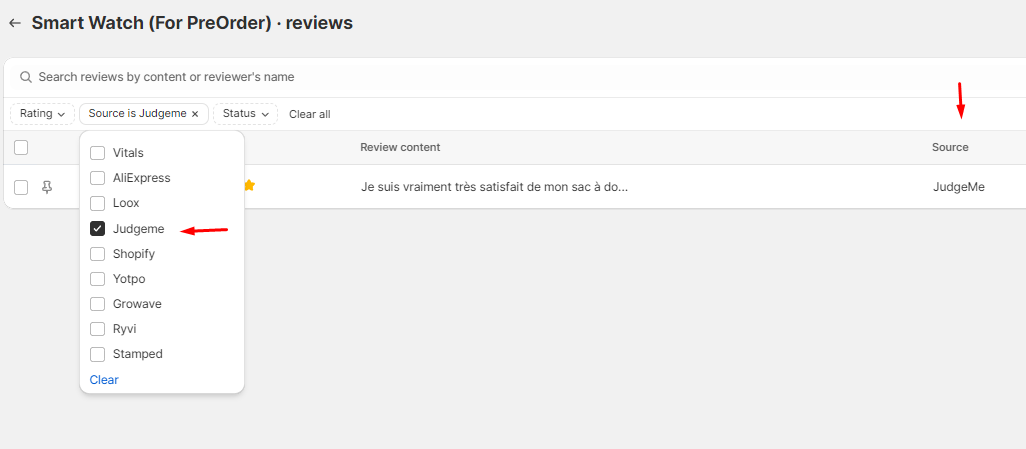
- According to where they came from (for example Vitals, AliExpress, Amazon or Loox)
- According to their status (published reviews, unpublished reviews, or reviews in moderation)
In a product’s review list, filters stay applied when you move between pages. Changing a filter returns you to the first page and clears any selected reviews.
Still stuck?
Chat with our support team, we'll sort it out with you.