Enabling the Vitals app via App Embed
Last updated on October 22, 2026
In order for all of the Vitals apps to work and appear on your store, you must enable the Vitals app from the Shopify theme editor under the App Embeds section first. This article contains the descriptive steps of how to enable the Vitals app within your theme editor.
In this article
How to enable the Vitals app via App Embed settings
Below are the steps on how to do it:
- 1
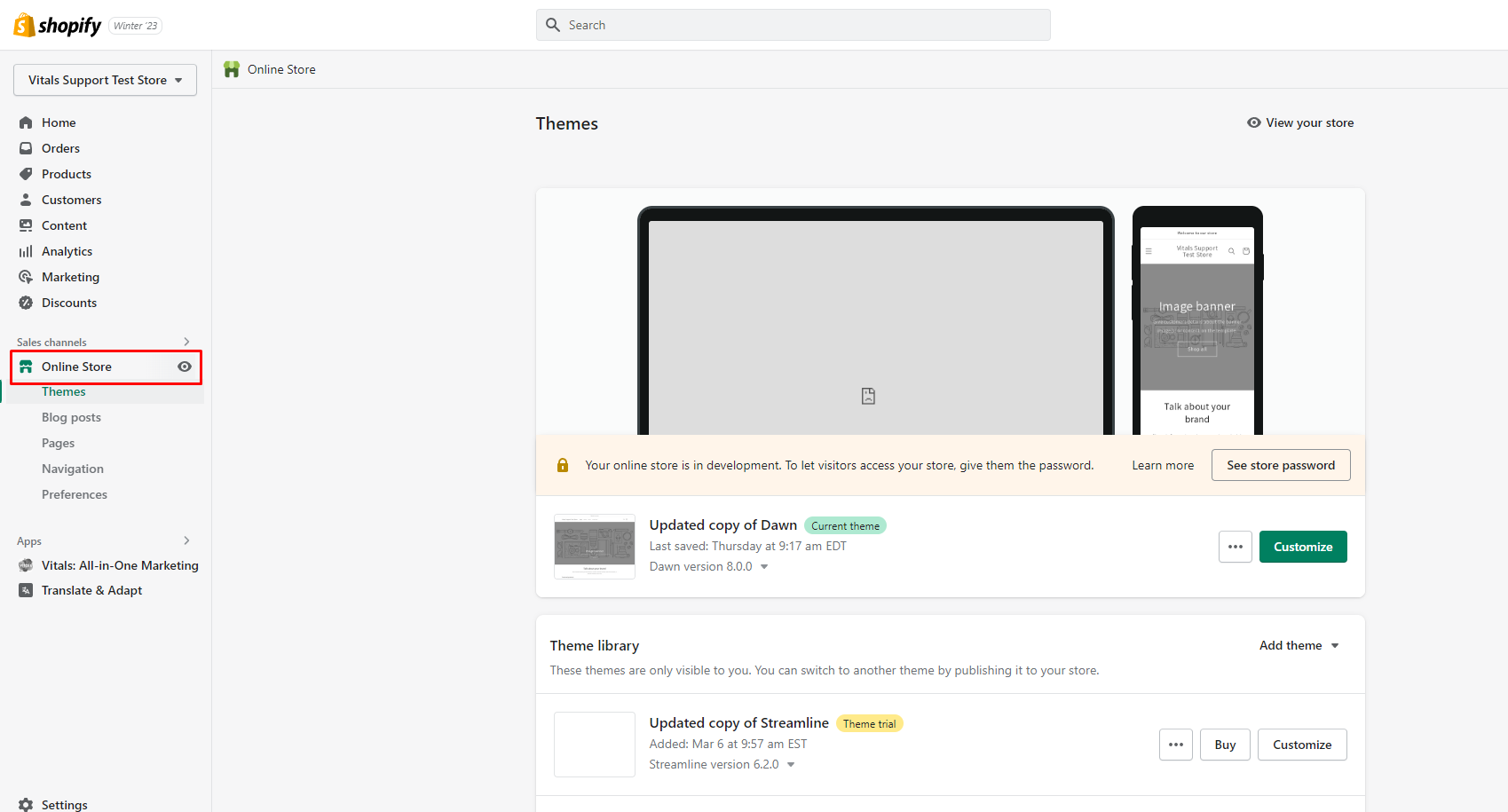
- On your Shopify Admin, click on your Online Store to see the currently published theme:
- 2
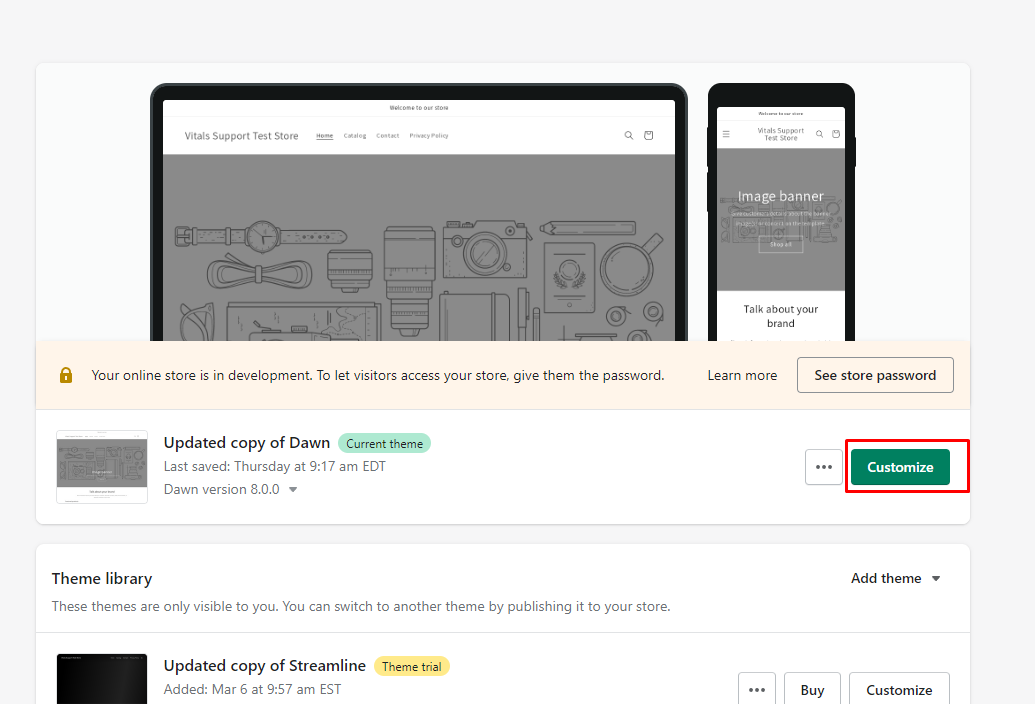
- Click the "Customize" button on the currently published theme to open your Shopify Theme Editor:
- 3
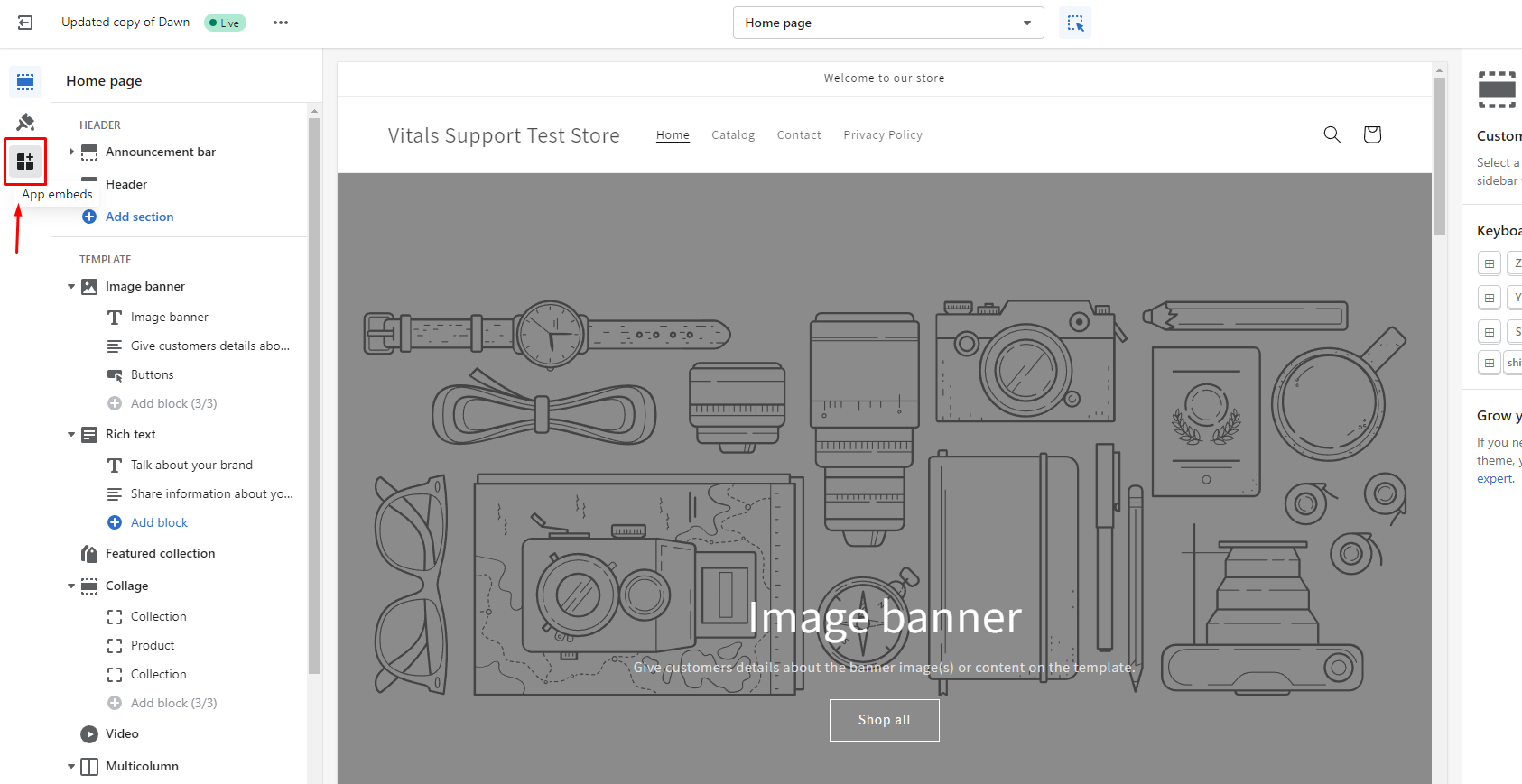
- Once the Shopify Theme Editor is opened, click on the App Embeds section on the left sidebar:
- 4
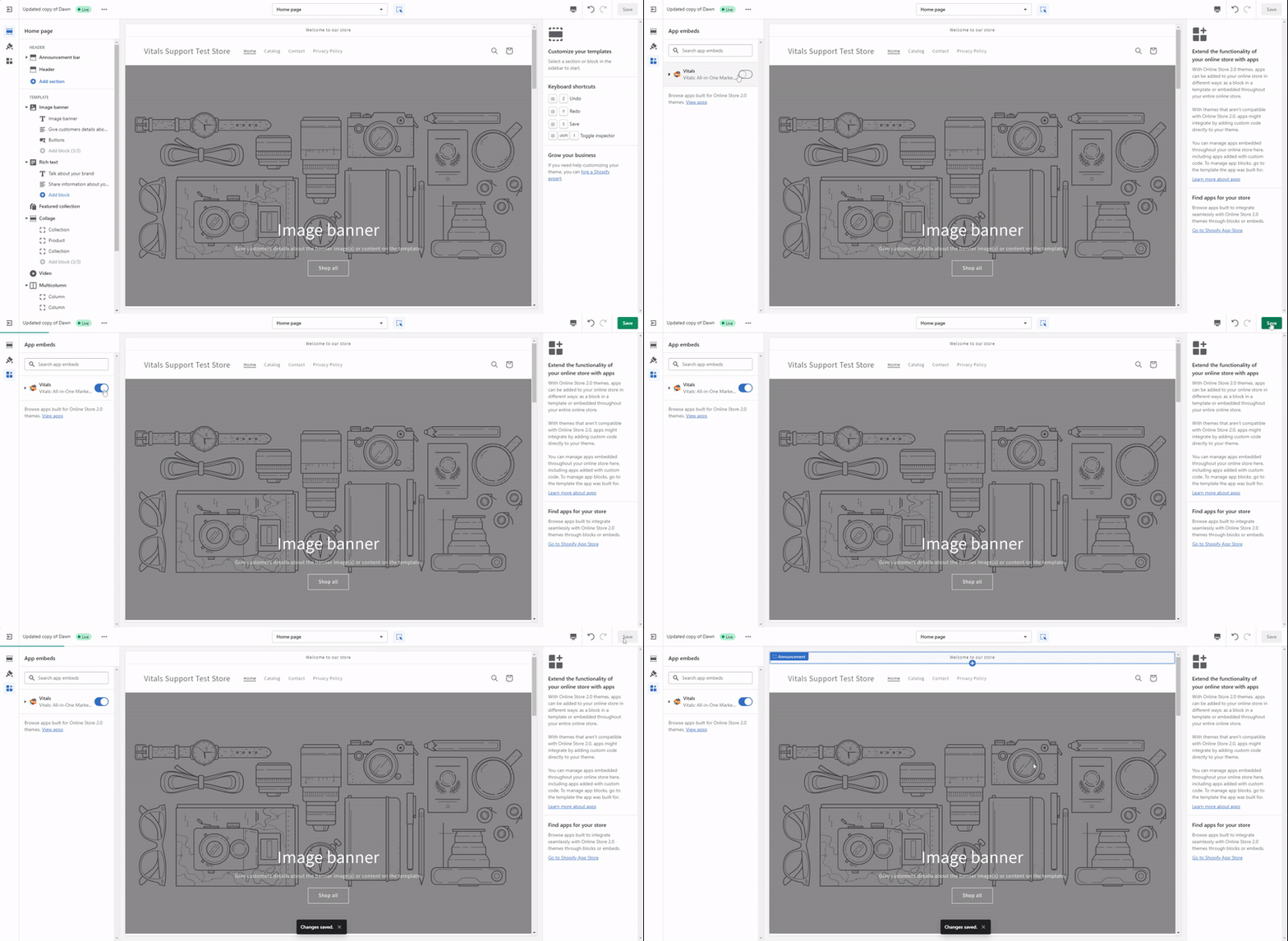
- This will populate the list of apps installed on your store. Kindly look for our Vitals app, and enable it (click image below to enlarge):
 5
Once the Vitals app is enabled, don't forget to click Save on the upper right side, and you are done! 😊
5
Once the Vitals app is enabled, don't forget to click Save on the upper right side, and you are done! 😊A faster way to spot — and fix — a missing app embed
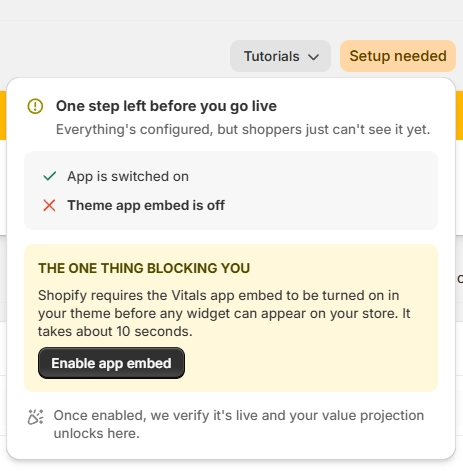
You don't have to guess whether the app embed is what's holding a widget back. Open any Vitals app and look at the App Value Pulse chip beside the Active toggle. If it reads "Setup needed" in amber, hover over it and the card names the exact blocker.
When the blocker is the app embed, the card explains that Shopify requires the Vitals app embed to be turned on in your theme before any widget can appear, and gives you an Enable app embed button that switches it on for you in place. The theme editor steps above are only needed if that button doesn't succeed.
The card covers the other two common reasons a widget stays hidden as well — nothing has been published yet, or a published offer has no placement chosen. In those cases the card tells you what to do, and the control you need is already on the page you're looking at.
App embed status in standalone apps
In the standalone Wishlist, EU Withdrawal Button, and EU Legal Guarantee app dashboards, the Store app embed status card shows whether your app embed is On or Off.
If the embed is still Off and cannot be detected after you open App embed settings, a notice appears below the status card. Confirm that the embed is enabled in the theme editor, then select Check again to run detection again. You can also select Get help to open support chat.
The notice disappears once the app embed is detected as On.
Frequently Asked Questions
I already enabled it via the App Embed section of my Shopify Theme Editor by enabling the switch. But the Vitals apps are still not appearing on my store. What's happening?
A couple of causes below can make the Vitals app to still not work after enabling it. Below are some of them:
- After enabling the Vitals app via the App Embed section of your Shopify Theme Editor, ensure that the green Save button (on the upper right) is pressed as well to save the changes.
- The app embed is set per theme. If you switch to (or preview) another theme, make sure the Vitals app embed is turned on in that theme too.
- After publishing a new theme, ensure that the Vitals app is also enabled on that theme editor's App Embed section.
If the app is still not showing up on your store even after enabling it via the App Embed section of your Shopify Theme Editor, open the app inside Vitals and hover the App Value Pulse chip beside the Active toggle — if it still reads "Setup needed", the card will tell you what else is missing. And if you're still stuck, contact our support team. We're always glad to help!
Why do I need to switch to this? My app is working fine before.
Shopify is always striving to enhance the user experience of third-party apps when used in conjunction with Shopify themes, one of which is this change. This will not only increase the efficiency and reliability of our app but also ensure that your theme is minimally impacted by any app code.
We're proud to say that from the beginning, our app already does not leave any active leftover codes upon uninstallation, and this new Shopify standard further improves it.